|
2022-12-15 09:16 developer |
Network_Background_Connectivity_Test.jpg (147,452 bytes) |
|
|
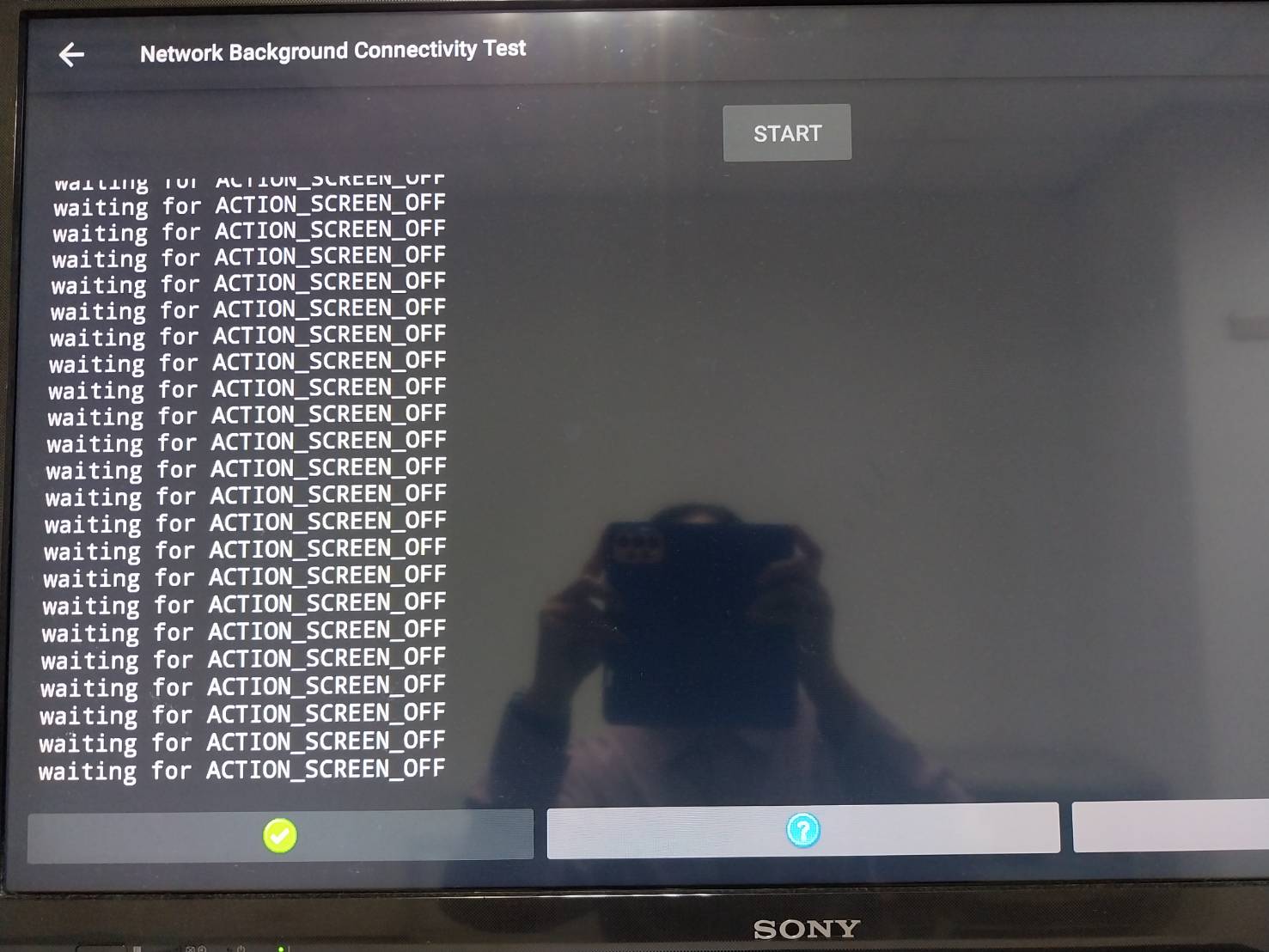
Hi Jason Please let me know the version information or build date of the FW you are testing. I know that ACTION_SCREEN_OFF is a function in passive standby mode and SPTEK has not yet applied this function to ATV12 Please let me know the build date so that I can check it again Thank you YK.Jung |
|
|
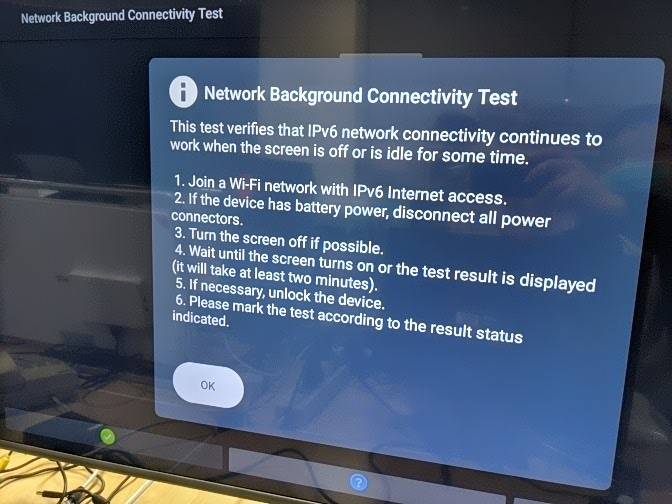
Hi YK, The test firmware is built by myself. I know that ACTION_SCREEN_OFF intent is only work in passive standby mode, so this will be a problem Please refer to attachment, (gudie.jpg) "This test verifies that IPV6 network connectivity continues to work when the screen is off or is idle for some time" if our Device need to get ACTION_SCREEN_OFF, we should put our device in passive standby mode. At that time, the power of USB port is off, so the USB wifi dongle can not work normally. => wifi can not work after receiving ACTION_SCREEN_OFF intent. Our other product that can receive "ACTION_SCREEN_OFF" intent in "Active Standby", so I ask SPTEK to check their standby flow. Thanks, Jason guide.jpg (48,422 bytes) |
|
|
Hi Jason I am not able to reproduce this as the my test environment now I'm asking to make sure I understand correctly. What you're saying is When entering the "active" sleep state, the ACTION_SCREEN_OFF message must be delivered. Or when entering the "passive" sleep state, the USB wifi dongle must be activated. is it correct? Thank you YK.Jung |
|
|
Hi YK, I think this test can pass under "active" sleep mode, if we can receive ACTION_SCREEN_OFF Intent. When entering the "active" sleep state, the ACTION_SCREEN_OFF message must be delivered. -> Yes when entering the "passive" sleep state, the USB wifi dongle must be activated. -> I think this will have problem, because we want to save power, so we will turn off the power of USB in passive sleep mode. The best case is put the device in active mode and SPTEK should review their "active" sleep mode, and let the system receive ACTION_SCREEN_OFF Intent. Thanks, Jason |
|
|
Hi Jason I reported this mantis to SPTEK https://jira.skbroadband.com/projects/FSTB12/issues/FSTB12-18 Thank you YK.Jung |
|
|
HI Jason SPTEK says the issue may have been resolved https://jira.skbroadband.com/projects/FSTB12/issues/FSTB12-18 He is saying that he have confirmed that he receive the intent in another package. Please check it Thank you YK.Jung |
|
|
Hi Jason Please let me know the test result. Thank you YK.Jung |
|
|
Hi YK, Our QA has verified this item, the result is PASS. But they need to login SKB account to test it, because SKB block POWER Key in login page, Do you know why SKB block power key in login page? Thanks, Jason |
|
|
Hi Jason I'll ask the SKB manager about it. as far as I remember, there was a problem with the operation of the power key. Thank you YK.Jung |
|
|
Hi Jason This test item has been passed, so I'll close it. Thank you YK.Jung |
|
|
Hi YK, This test is not stable on our side, The test require following steps, Setp1. Connected WIFI ipv6 Step2. Power off Setp3. Wait one min (Check if STB can receive ACTION_SCREEN_OFF intent) Setp4. Power on In Setp2, we need to use power key, so we should use Korean VPN to login SKB account to HomeUI But in Setp1, we need ipv6 network, generic Korean VPN doesn't provide ipv6 network so we should set persist.skb.mode = 1, then use Taiwan network. After we changing to Taiwan network, I test it again. in Setup 2. if we press Btv power -> STB can NOT go to standby mode, we don't see the OTA dialog -> I guess the root cause maybe we are under Taiwan network or the skb.mode is 1 General Power (red button) -> STB can go to standby but we need to wait about 15 seconds. and STB can not wake by this button, until we press it many times (Step 4). For making it stable, Could I ask Digicap to unlock the powerkey before logging into SKB UI when persist.sys.skb.mode 1 so that 3PL/Foxconn can test it with Taiwan network (ipv6) If they can implement it, I think they can also unlock mute key (because ATV remote also need to verify mute key, I think we can verify it at this time) Thanks, Jason. |
|
|
HI Jason I requested digicap again for the operation of the Mute / Power button on the login page. https://jira.skbroadband.com/browse/FSTB12-92 Thank you YK.Jung |
|
|
Hi Jason When this function is enabled at login page, it also is applied during boot-up. Digicap's opinion is that it is difficult to apply the power/mute button during booting because there is a high possibility of problems. Thank you YK.Jung |
|
|
Hi YK, Did you mean if Digicap unlock it, when we press power key at boot animation stage, Will the STB go to standby ? I think they can check sys.boot_completed = 1 and persist.sys.skb.mode = 1 then unlock the power/mute Thanks, Jason |
|
|
HI Jason I requested it to Digicap again https://jira.skbroadband.com/projects/FSTB12/issues/FSTB12-92 Thank you YK.Jung |
|
|
Hi Jason I reported this issue to SKB again, but it is said that Digicap cannot simply enable the function. that is , the function requested cannot be applied at this time. anyway I will continue to report whenever I have a chance. Thank you YK.Jung |
|
|
Hi Jason Digicap reviewed it, and many resource modules are related and cannot be modified at login page So the action for the Mute / Power button cannot be implemented on login page. Thanks YK.Jung |
|
|
Hi YK, OK, I will close it. Thanks, Jason |
- yk.jung ( (ALTech) Younkwang Jung ) developer